Output Settings
The Output Settings section is where you configure which industry standard protocol Blackout uses to send DMX data from your iPad. It's critical that you match your output protocol to what your lighting network/gateway/node is configured to receive.
IMPORTANT
If your gateway is configured for sACN but you're sending Art-Net (or vice versa), this mismatch will prevent successful communication. See Troubleshooting for help.
Art-Net
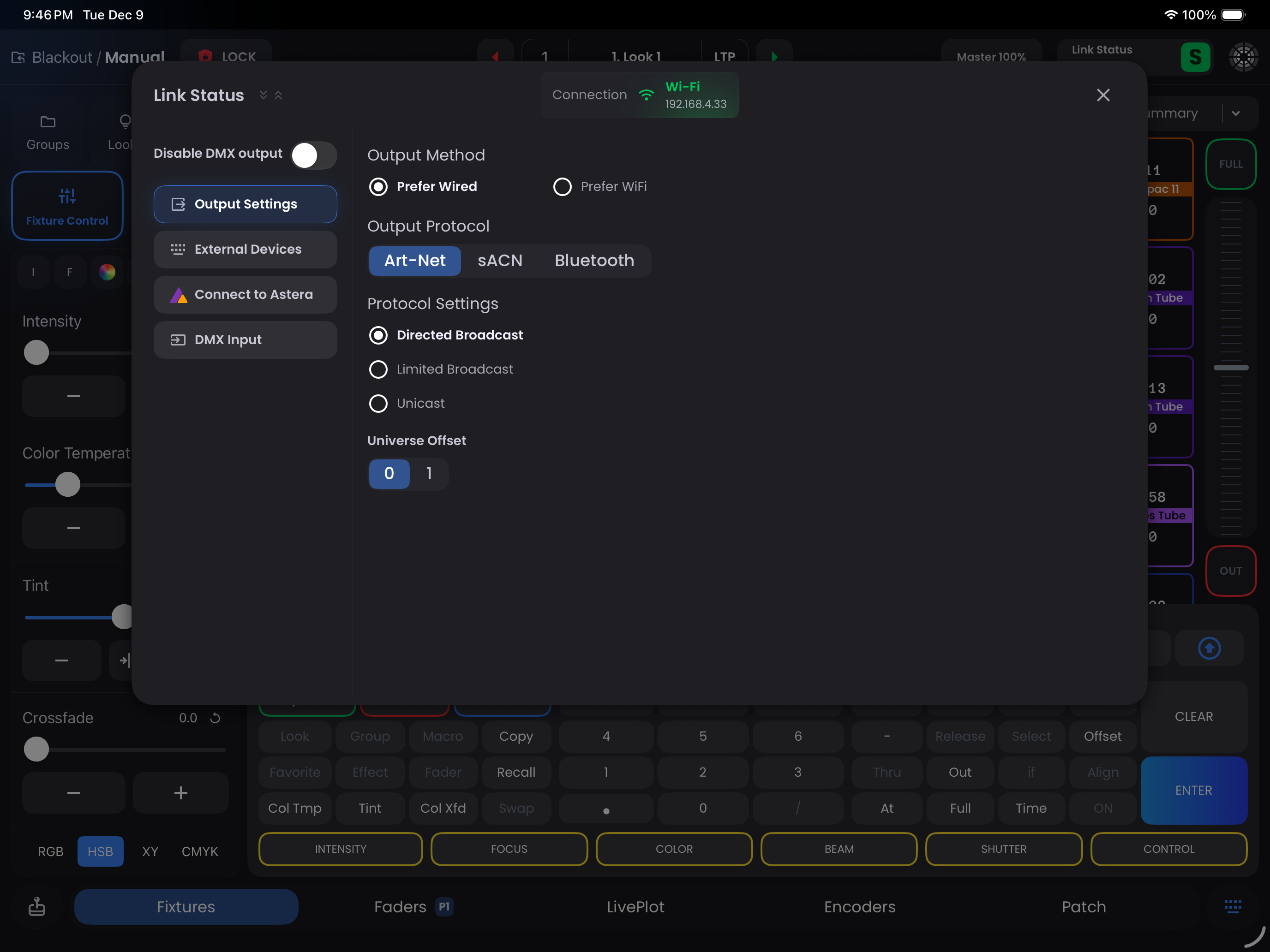
Broadcast Options:
- Directed Broadcast - Recommended option for broadcasting Art-Net where all hosts require the same data
- Limited Broadcast - Broadcasts to 255.255.255.255. This is required by some devices but is not per the Art-Net spec and not recommended if it can be avoided as it spams the network
- Unicast - Allows for specifying a single IP address that Art-Net will send to
Universe Offset:
Art-Net numbering starts from 0. Ensure that the offset in Blackout matches your Art-Net node's settings:
| Art-Net Numbering | Actual Universe |
|---|---|
| 0 | 1 |
| 1 | 2 |
If your Art-Net node is set to Universe 1, the offset in Blackout should also be set to 1. Once this is set, forget about it. Don't let this complicate your patch.
TIP
For more information on Art-Net casting methods, visit the Art-Net Official Website.
Having issues? See Art-Net Troubleshooting.
sACN (E1.31)
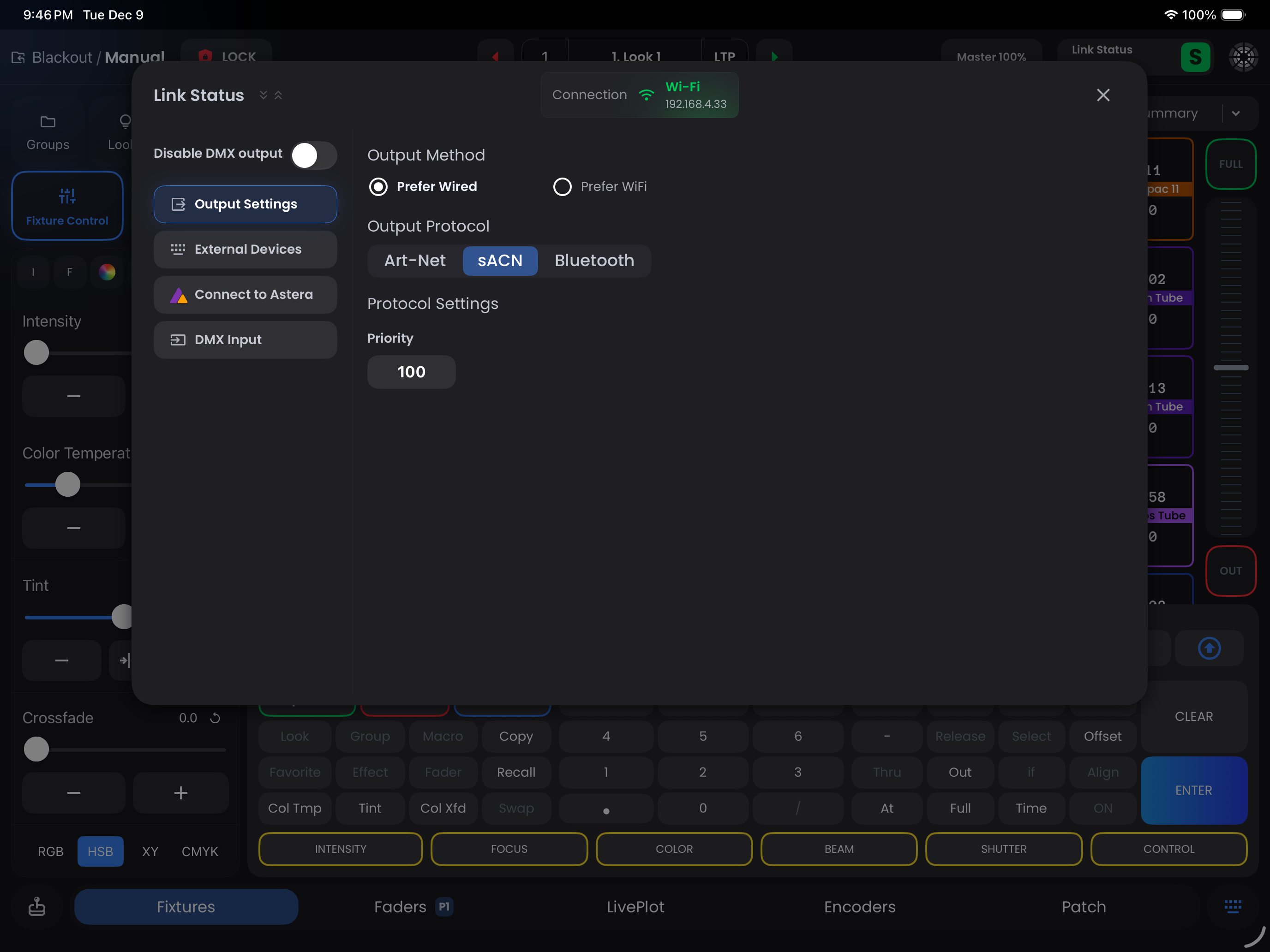
Priority (1-200):
This is useful when there is more than one controller on the network. Leave this at the default of 100 unless you have a reason to change it.
sACN multicasts data to a group of receivers that have to 'subscribe' in order to receive the correct data. Multicast can be more efficient, but most ethernet switches have limited capability to handle multicast and so convert it to broadcast.
Network Requirements
Verify your network hardware supports multicast when using sACN. Some network switches may not properly support multicast traffic. This will really make a difference when running > 20 universes.
Bluetooth
WARNING
Blackout STRONGLY recommends against using Bluetooth as Bluetooth is significantly slower than WiFi or Ethernet. Blackout does not allow Effects over Bluetooth for this reason.
However, if you are running a small setup without any effects and just setting levels, Bluetooth can be a valid option.
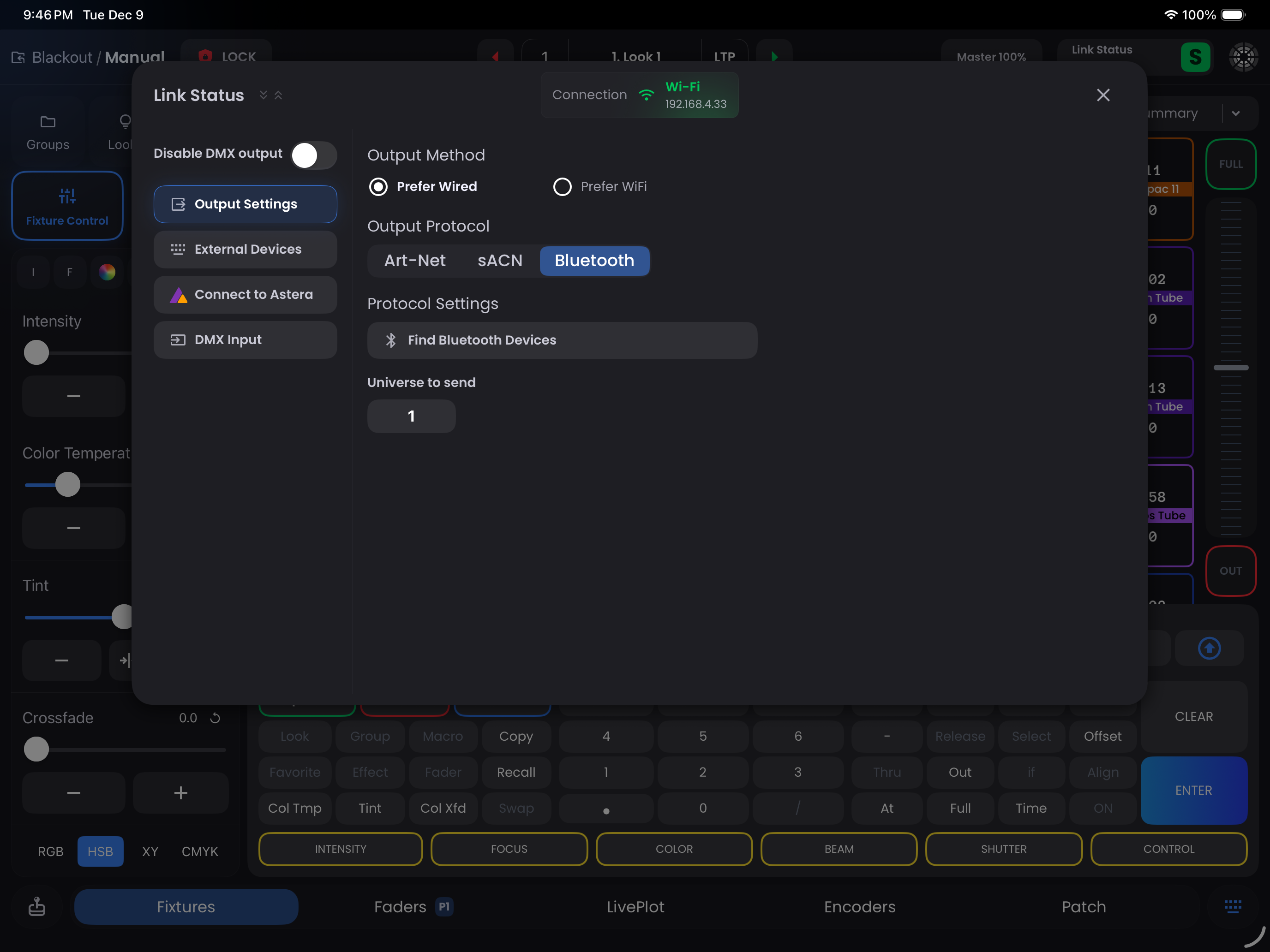
Settings:
- Find Devices - Tap
Find Bluetooth Devicesto bring up a list of available Bluetooth nodes (such as LumenRadio Moonlite/Luna) - Universe to Output - This allows you to specify which universe you are sending
Related Resources
- Hardware Setup - Connection methods and setup
- Troubleshooting - Protocol and connection issues
- Help Center: Recommended Gateways/Nodes